Use Google 2FA log-in for security. Follow

Fellow Running Fox users.
When you sign up for the first membership, please sign up with a text message on your phone and set up Google 2FA.
Text messages are sent from abroad, and sometimes the authentication number may not arrive due to problems with the mobile network
Please use Google 2FA login for fast and secure security.
Google 2FA setting method is as follows.
1. How to activate Google 2FA OTP
After logged in, mouse over to the recommended code in the top right, and the Google 2FA OTP tab is clicked.
Google 2FA OTP will be activated by entering a 6-digit authentication number using a QR code scan on the Google 2FA OTP application.
[After activation of Google 2FA OTP]
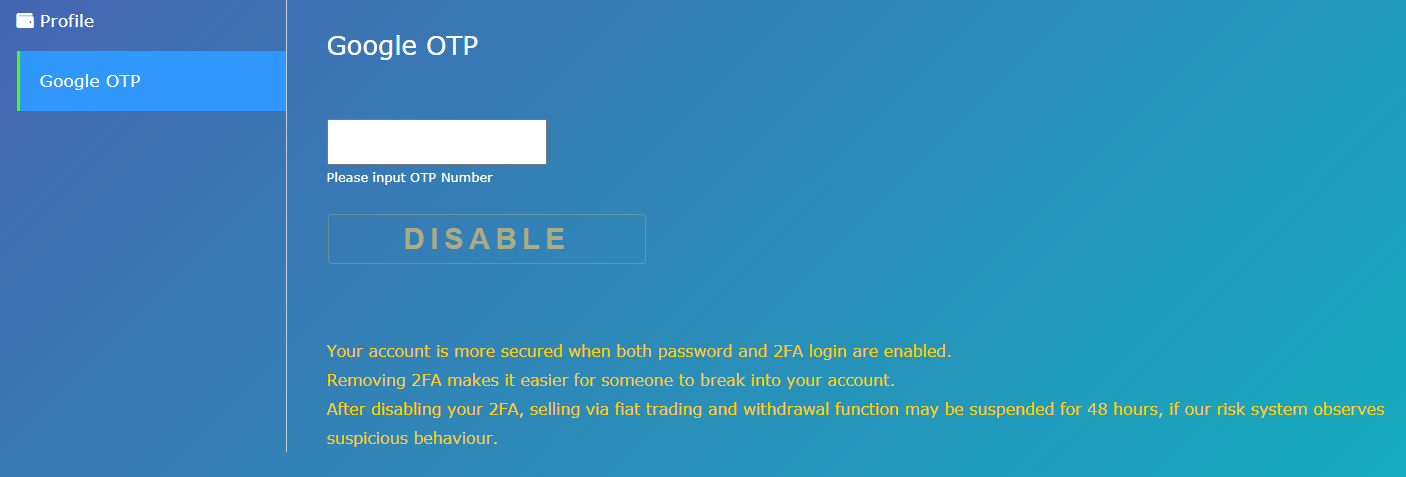
2. Login using Google 2FA OTP
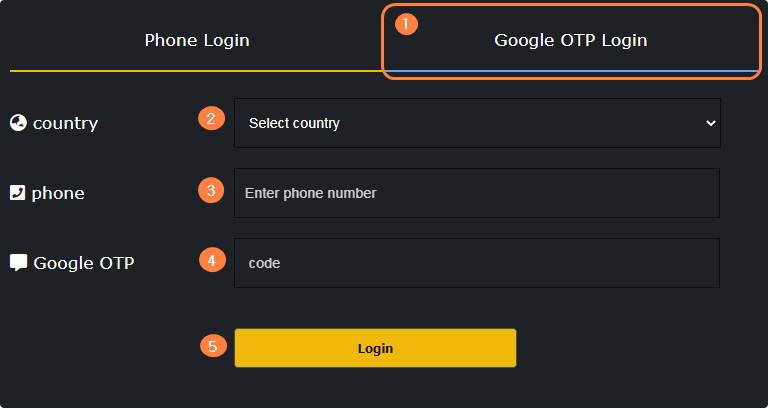
1. Click Google 2FA OTP Login
2. Select a country.
3. Enter only the cell phone number except the country code. (Example: 0000000000)
4. Check the authentication number and enter it
5. Click the login button