How to Sign up and Log in RunningFox Follow

Sign up address :https://coinrf.com/member/frame_apply.asp
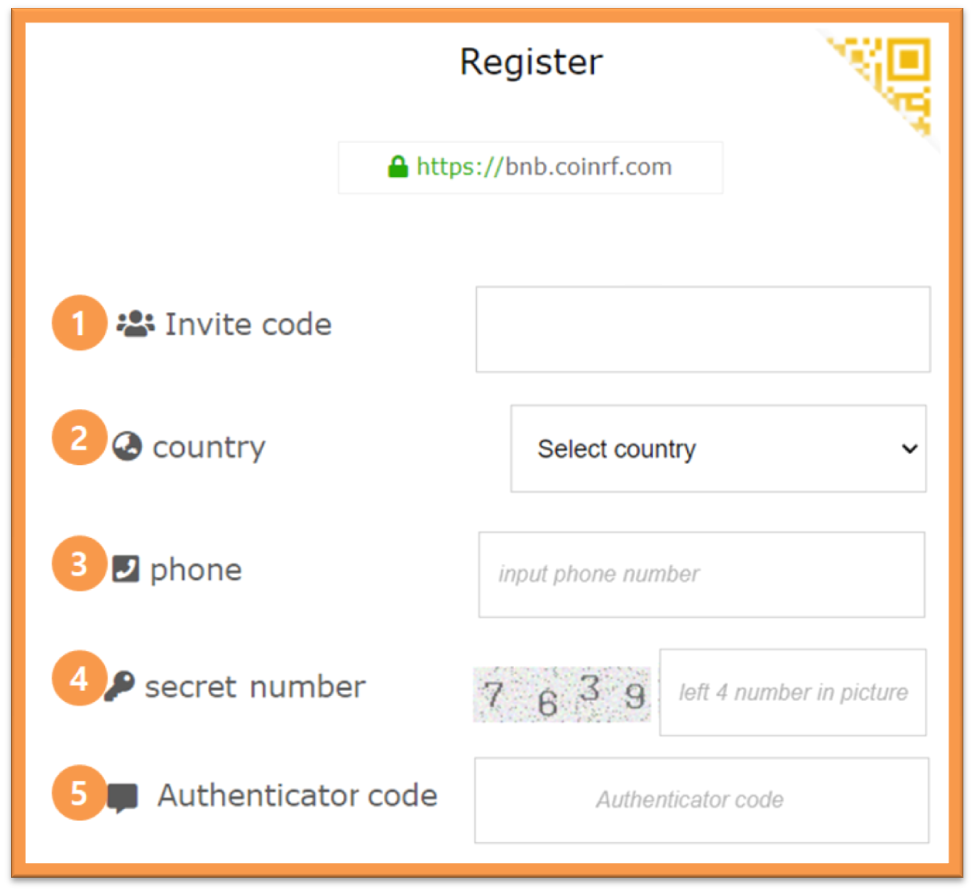
- Enter the Invite code. (Option)
- Select a country.
- Enter only the cell phone number except the country code. (Example: 0000000000)
- Enter the exact number shown in the picture.
- Click the request verification button. Enter the verification code received on your cell phone.
Log in address : https://coinrf.com/member/frame_login.asp
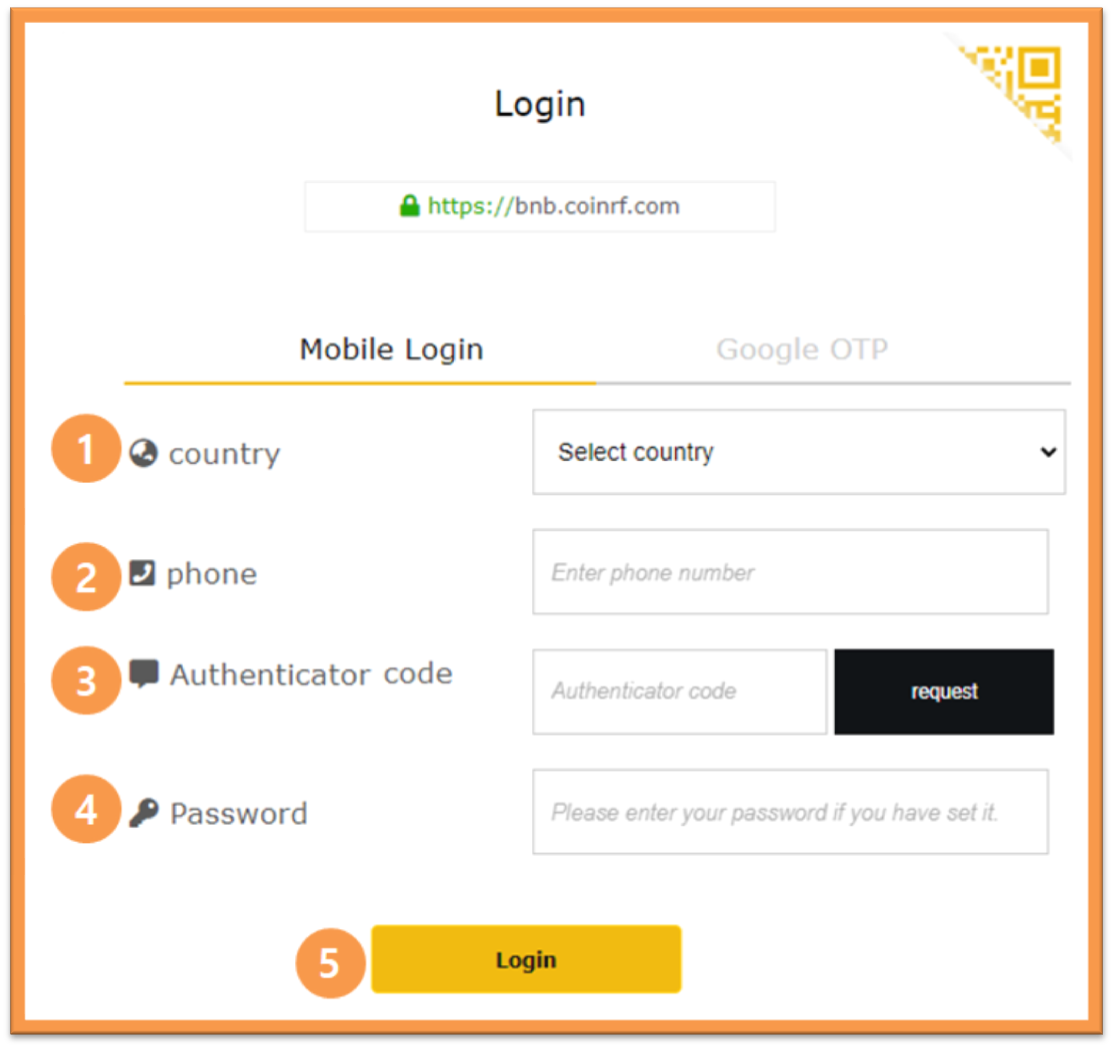
- Select a country.
- Enter only the cell phone number except the country code. (Example: 0000000000)
- Click the request verification button. Enter the verification code received on your cell phone.
- If you set the password, enter it.
- Click the Login button to log in.
The first login is only with mobile phone. Google 2FA OTP can be logged in by activating Google 2FA OTP after initial login.
[Phone Login]